Fabric Archipelago Mod

| Author |
Deadlydiamond98 |
|---|---|
| Latest Release |
1.0.2-alpha (1.20.1) (2026-01-21) |
| Initial Release |
1.0.0-alpha (1.20.1) (2026-01-17) |
| Mod Loaders | |
| Minecraft Versions |
1.20.1 |
| Modrinth | |
| Discord | |
| Sources |

{
    "title": "Fabric Archipelago Mod",
    "rows": [
        {
            "field": "Deadlydiamond98",
            "label": "Author"
        },
        {
            "field": "1.0.2-alpha (1.20.1) (2026-01-21)",
            "label": "Latest Release"
        },
        {
            "field": "1.0.0-alpha (1.20.1) (2026-01-17)",
            "label": "Initial Release"
        },
        {
            "field": "[https://fabricmc.net/ (link to File:Fabric Logo.png article, displayed as link=|16px|alt=Fabric) Fabric]",
            "label": "Mod Loaders"
        },
        {
            "field": "1.20.1",
            "label": "Minecraft Versions"
        },
        {
            "field": "https://modrinth.com/mod/archipelago-mod",
            "label": "Modrinth"
        },
        {
            "field": "https://discord.com/invite/yArvXz9tSq",
            "label": "Discord"
        },
        {
            "field": "https://github.com/Deadlydiamond98/MinecraftFabricAPWorld",
            "label": "Sources"
        }
    ],
    "invimages": [],
    "images": [
        "Archipelago Icon.png"
    ]
}
Fabric Archipelago is a mod that allows users to connect their Minecraft Game to Archipelago in order to play Randomizes with multiple games, and/or multiple people!
The mod is inspired by the Minecraft_AP_Randomizer, however was rewritten from scratch for Fabric instead of Forge. It includes many of the features from the original mod, but also includes additional features such as easier setup, and the ability to play in Single Player.
What is Archipelago?
"Archipelago is a cross-game modification system which randomizes different games, then uses the result to build a single unified multi-player game. Items from one game may be present in another, and you will need your fellow players to find items you need in their games to help you complete your own."[1]

For more information on how Archipelago works, or things that it does (information that is useful to know when using this mod), you can check out Archipelago's official FAQ.
How does the Randomizer affect Minecraft
In order to randomize Minecraft, this mod locks various abilities and recipes behind Archipelago Items, with the completion of locations being the only way to get them back. There are options that the player can check that enable/disable Archipelago Items in order to change the difficulty of the game.
Locations
Currently the mod only adds one type of location, being advancements. Every time the player unlocks an advancement, an item will be sent out to Archipelago. Some additional advancements are also added to the game to add more for the player to do to get checks, all of which are pulled directly from old advancements and Bedrock achievements.
Modded Advancements aren't currently supported, but are planned to be added in the near future.
Items
There are multiple things that are added by the mod as Archipelago Items. Some items unlock things needed for progression, while others just give the player things that may or may not be helpful.
The list of items includes:
- Recipes - Recipes for various items required for progression, such as tools and weapons.
- Abilities - Abilities that the player normally has, such as Jumping, Sprinting, and Swimming
- Experience - Grants the player an amount of levels or experience points
- Items - Grants the player a random amount of an Item, such as planks or ore.
- Traps - Unwanted items that can optionally be added to the game. They do things such as reversing controls, enabling ice physics, or spawning lit TNT.
The Randomizer currently adds Archipelago Items for Vanilla Minecraft, but Modded Archipelago Items are planned for the near future.
How Do I Setup This Mod?
There are a few steps that players need to do in order to get this mod working properly:
- Follow the Archipelago Setup Guide to install the launcher needed to generate the files for the Randomizer
- Download the latest AP World for this mod
- Place the
minecraft_fabric.apworldinto the worlds folder in the Archipelago Application - Open the Archipelago Application, and use the Options Creator to generate your YAML config
- Using your YAML (and the YAMLs of other people's games), create a server for playing by following this Guide
The Next Instructions will differ Slightly depending on whether you want to play the Minecraft Randomizer in a Single Player world, or a Multiplayer world.
Single Player
- Install Prism Launcher (or your preferred MC launcher if you haven't already)
- Create a new instance of 1.20.1 running the latest version of Fabric (0.18.4 at the time of writing this)
- Install the Archipelago Mod, along with its dependencies Koala Lib and Fabric API
- Boot up Minecraft and Create a new world, filling in Archipelago server address, port, and password (if needed)
Gallery
-
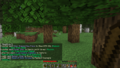 In Game Screenshot of a Game being Played
 -
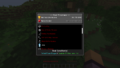 Screenshot of the Item Tracker

